Last updated: October 12, 2026
Planning a trip to South Korea?
You do not need to install twenty different Korean apps before your flight.
But having a few of the right apps can make a huge difference.
The most useful Korea travel apps help with:
Navigation
Translation
Taxis
Train tickets
Restaurant reservations
Payments
Travel planning
and emergencies.
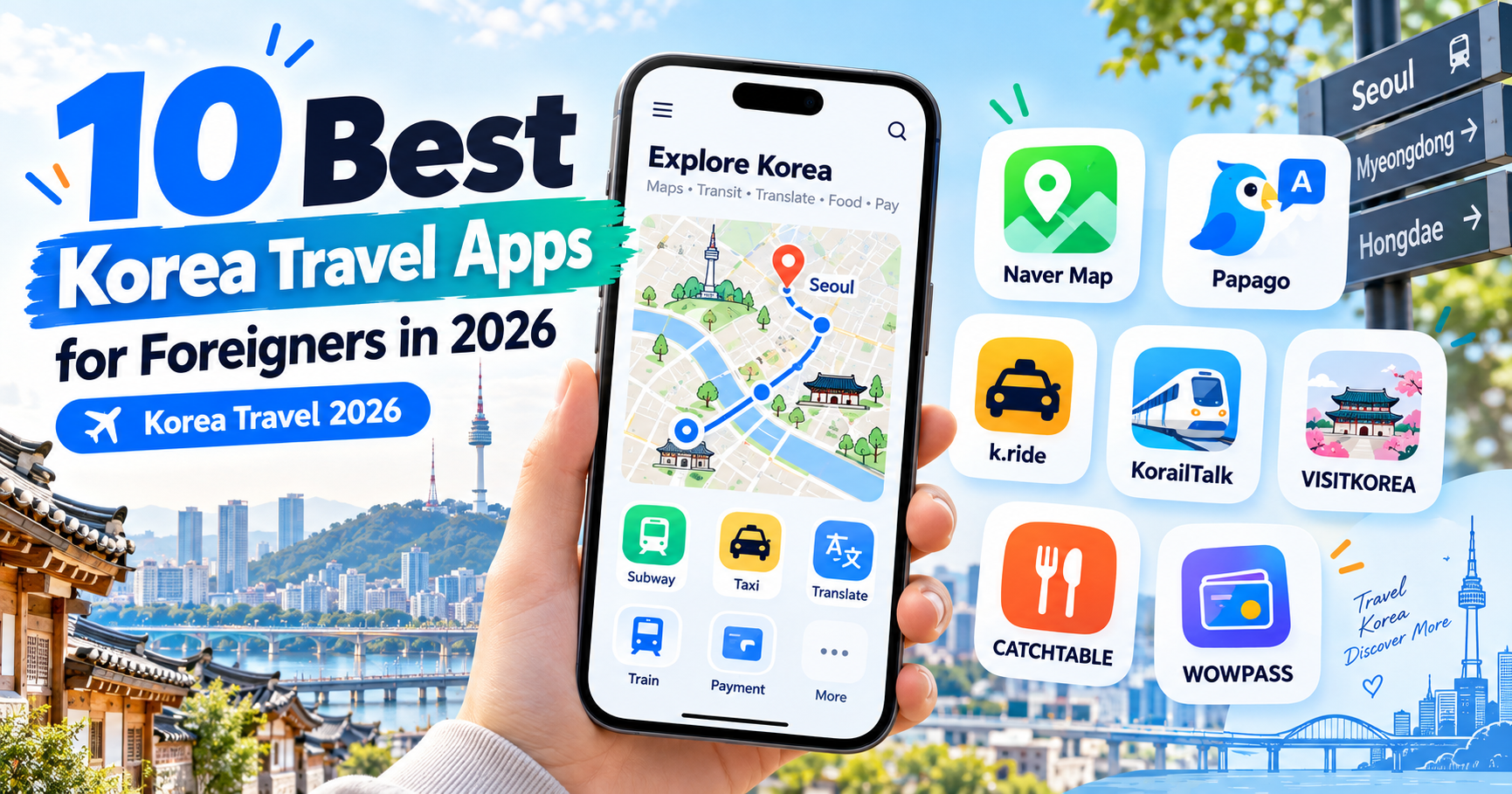
For most first-time visitors, I recommend installing at least Naver Map, Papago, k.ride, and KorailTalk before arriving.
Then add the other apps depending on your itinerary.
Here are the 10 Korea travel apps actually worth knowing about in 2026.
Quick Answer
| App | Best For | How Important? |
|---|---|---|
| Naver Map | Maps & public transportation | Essential |
| Papago | Korean translation | Essential |
| k.ride | Calling taxis | Essential |
| KorailTalk | KTX & train travel | Essential if traveling between cities |
| VISITKOREA | Official travel information | Highly useful |
| CATCHTABLE Global | Restaurant reservations | Very useful for food-focused trips |
| WOWPASS | Payments & travel money | Optional but convenient |
| KakaoMap | Alternative local map | Useful backup |
| GoHanpass | Intercity transportation | Useful for regional travel |
| Emergency Ready | Safety & emergency information | Recommended |
1. Naver Map — Best Overall App for Korea
If you download only one Korea-specific app, make it Naver Map.
Naver Map is one of the most useful apps for:
Subway routes
Bus routes
Walking directions
Restaurant searches
Café searches
Attractions
Real-time transportation
Subway exits
and local reviews.
It is especially useful because Korean local businesses often have much more information on Naver than on international map platforms.
Naver Map supports English as well as other languages for international travelers.
You can search destinations such as:
Myeongdong
Hongdae
Gyeongbokgung Palace
Seoul Station
and major restaurants and attractions.
For smaller businesses, searching the Korean name or address can sometimes give better results.
Why Naver Map Is Essential
The biggest advantage is that it combines navigation with local information.
You might search for a restaurant and immediately see:
Opening hours
Photos
Reviews
Menu information
Directions
and reservation options.
It also tells you which subway exit to use.
This may seem like a small detail, but Seoul stations can have many exits.
Using the correct exit can save a lot of unnecessary walking.
New for Foreign Visitors
NAVER has also expanded foreigner-friendly functions.
Eligible visitors can use passport-based identity verification for certain services without relying on a Korean mobile phone number.
This has made features such as selected:
Bookings
Orders
and payments
more accessible to international tourists.
Best for: Almost everyone visiting Korea.
2. Papago — Best Translation App for Korea
If Naver Map is the first app to install, Papago should probably be the second.
Papago is NAVER’s translation service and is particularly useful for Korean.
It supports multiple types of translation, including:
Text
Images
Voice
Documents
and websites.
This makes it useful in real travel situations.
When Papago Is Most Useful
Imagine you are in a restaurant and the menu is entirely in Korean.
Take a photo and use image translation.
A taxi driver says something you do not understand.
Use voice translation.
You receive a Korean message from your accommodation.
Copy and paste it into Papago.
You see a Korean sign.
Use the camera.
For day-to-day travel in Korea, this can be more useful than carrying a phrasebook.
Useful Tip
Do not try to translate complicated paragraphs when speaking to someone.
Simple sentences translate better.
Instead of:
“I was wondering if it might be possible for you to tell me where I could possibly find the bus stop for the airport?”
use:
“Where is the airport bus stop?”
Shorter sentences reduce misunderstandings.
Best for: Every international visitor who does not speak Korean fluently.
3. k.ride — Best Taxi App for Foreigners
Calling a taxi in Korea used to be more difficult for short-term visitors.
A Korean phone number or Korean account could sometimes become a barrier.
k.ride was designed specifically to make taxi booking easier for international travelers.
It uses Kakao Mobility’s taxi network and provides foreign-language support.
You can:
Search destinations
Request taxis
See estimated fares
Select vehicle types
and communicate through multilingual features.
Why k.ride Is Better for Tourists
The service supports foreign users without requiring the same setup traditionally associated with Korean-only taxi platforms.
International travelers can use familiar login and payment options.
This is particularly helpful if:
You are carrying luggage.
The subway has closed.
It is raining.
Your destination is far from a station.
or you simply do not want to explain a Korean address to a taxi driver.
Keep Uber as a Backup
Uber Taxi also operates in Korea.
If you already have Uber installed with your payment method registered, keeping it as a second taxi app is useful.
You do not necessarily need both every day, but having two options helps during busy periods.
Best for: Taxi use, late-night transportation and travelers with luggage.
4. KorailTalk — Best for KTX and Train Travel
If your trip includes:
Busan
Daegu
Gyeongju
Jeonju
Daejeon
or other cities,
you will probably use Korea’s intercity rail system.
KorailTalk is the official Korail app for train services such as KTX.
It supports multiple languages for international travelers.
You can use it to:
Search trains
Check schedules
Select trains
Book tickets
and manage reservations.
When You Need KorailTalk
You do not need it if your entire trip is in Seoul.
But if your itinerary is:
Seoul → Busan
or
Seoul → Gyeongju
it becomes much more useful.
KTX tickets can sell out on:
Weekends
Holidays
Popular travel dates
and peak periods.
Booking in advance is particularly important during major Korean holidays.
Best for: Anyone traveling between Korean cities by train.
5. VISITKOREA — Best Official Korea Travel App
VISITKOREA is operated by the Korea Tourism Organization.
It is useful because it provides official tourism information rather than relying entirely on social media or old blog posts.
The app includes information about:
Attractions
Food
Accommodation
Shopping
Festivals
Events
Travel information
and suggested itineraries.
It also includes travel-planning features.
Why Keep It Installed?
Korea changes quickly.
A restaurant blog post from three years ago may be outdated.
Transportation rules can change.
Festivals operate on specific dates.
Attractions can close temporarily.
VISITKOREA provides a useful official reference point when checking current travel information.
It can also highlight:
Current events
Promotions
Regional destinations
and seasonal activities.
Best for: Planning activities and checking official tourism information.
6. CATCHTABLE Global — Best Restaurant Reservation App
Food is one of the main reasons people visit Korea.
The problem is that many popular Korean restaurants now use:
Reservations
Online waiting lists
or mobile queue systems.
That used to be difficult for visitors without a Korean phone number.
CATCHTABLE Global solves much of that problem.
International travelers can create an account without a Korean mobile number and use internationally issued credit cards where payment or a reservation deposit is required.
What Can You Use It For?
CATCHTABLE Global can help you:
Search restaurants
Make reservations
Join supported waitlists
Check menus
View restaurant information
and discover popular places.
It includes everything from casual popular restaurants to Michelin-listed establishments.
When Is It Most Useful?
If you want to visit:
Popular Korean barbecue restaurants
Fine dining restaurants
Trendy Seoul restaurants
or restaurants that frequently have long queues,
install it before your trip.
For spontaneous travelers who simply walk into whatever restaurant looks good, it is less essential.
Best for: Food-focused travelers and popular restaurant reservations.
7. WOWPASS — Best Optional Payment App for Tourists
WOWPASS is a travel payment product designed specifically for international visitors.
The service combines several useful functions.
Depending on the product and setup, travelers can use it for:
Payments
Foreign currency exchange
T-money transportation functions
and cash access.
The WOWPASS app also allows users to manage their balance.
Why Travelers Like WOWPASS
A major advantage is that it provides a separate Korea travel spending system.
This can be useful if:
Your home credit card charges high foreign transaction fees.
You want to control your travel budget.
You want a tourist-oriented payment service.
or you prefer separating travel spending from your normal bank account.
Do You Actually Need WOWPASS?
No.
Many travelers can easily visit Korea with:
A normal international Visa or Mastercard
T-money
and some Korean won.
WOWPASS is therefore a convenience option, not a requirement.
Do not feel that you must buy one just because you are a tourist.
Best for: Travelers who want an all-in-one tourist payment solution.
8. KakaoMap — Best Alternative Map App
Naver Map is my first recommendation for most tourists, but KakaoMap is also excellent.
It provides:
Public transportation routes
Walking directions
Driving directions
Local businesses
and detailed map information.
Some travelers simply prefer the KakaoMap interface.
Others use it when they want to compare a route suggested by Naver Map.
Do You Need Both?
Probably not.
For a typical first trip:
Naver Map alone is enough.
But if you are staying in Korea longer or doing a lot of independent travel, having KakaoMap as a backup can be useful.
You may occasionally find that:
One app locates a business more easily.
One route looks simpler.
or one app gives clearer information for a particular trip.
Best for: Independent travelers who want a second Korean navigation option.
9. GoHanpass — Useful for Intercity Transportation
Traveling beyond Seoul can involve more than KTX.
You may need:
Intercity buses
Express buses
Regional transportation
or combined booking services.
GoHanpass is one of the platforms recommended by the Korea Tourism Organization for international travelers.
It supports multiple languages and helps visitors access intercity transportation without navigating Korean-only booking systems.
Who Needs It?
If your itinerary is:
Seoul only,
you probably do not.
But if you plan to visit:
Smaller cities
Regional tourist destinations
or places better served by bus than rail,
it becomes more useful.
This is especially valuable because regional travel is one area where foreign visitors can encounter more booking friction than in central Seoul.
Best for: Travelers exploring Korea beyond the major KTX routes.
10. Emergency Ready — Best Safety App
This is the app people forget about until they need it.
Emergency Ready is connected to Korea’s official disaster and safety information services.
It provides safety information and guidelines for situations such as:
Natural disasters
Severe weather
Safety incidents
and other emergencies.
The service supports multiple languages.
Why Install It?
During a normal trip, you may never open it.
That is fine.
But if Korea experiences:
Heavy rain
Typhoon conditions
Extreme heat
Wildfires
or another major safety event,
having an official safety information source becomes valuable.
Korea also sends emergency alerts to mobile devices, which can be confusing if you cannot read Korean.
An international visitor-friendly safety service helps provide additional context.
Also remember Korea’s emergency numbers:
112 — Police
119 — Fire and ambulance
and the Korea Travel Helpline:
1330
for tourism-related assistance.
Best for: Every traveler as a safety backup.
Which Apps Do You Really Need?
You absolutely do not need all ten.
For a normal first trip to Seoul, I would install these before departure:
Naver Map
Papago
k.ride
and keep your existing international apps such as Uber and Google Maps.
If you are traveling between cities, add:
KorailTalk.
If restaurants are a major part of your itinerary, add:
CATCHTABLE Global.
If you want more official travel information, add:
VISITKOREA.
The rest depend on how you travel.
Best App Setup for a First-Time Seoul Trip
A simple setup might be:
Navigation
Naver Map
Translation
Papago
Taxi
k.ride
Restaurant reservations
CATCHTABLE Global
Official travel information
VISITKOREA
That covers most situations you will encounter during a typical Seoul trip.
Best App Setup for a Multi-City Korea Trip
If your itinerary includes:
Seoul
Gyeongju
Busan
Daegu
Jeonju
or other regional destinations,
add:
KorailTalk
GoHanpass
and possibly KakaoMap.
Regional transportation planning requires a little more preparation than moving around Seoul.
Do You Still Need Google Maps?
Yes.
There is no reason to delete Google Maps.
It remains useful for:
Saved places
International reviews
Sharing locations
and general travel planning.
But in Korea I would not rely on it as my only navigation tool.
Use:
Naver Map as your primary local map
and
Google Maps as a secondary tool.
Do You Need KakaoTalk?
This surprises many visitors.
You do not necessarily need KakaoTalk just because you are visiting Korea.
KakaoTalk is extremely important for people living in Korea, but short-term tourists can now access many useful services without building their trip around a Korean Kakao account.
For example, k.ride was specifically designed to make Kakao Mobility’s transportation services easier for international visitors.
Install KakaoTalk only if:
Someone you need to communicate with uses it.
A tour or accommodation specifically requests it.
or you personally want to use it.
What Apps Should You Download Before Flying?
Do not wait until you land at Incheon Airport.
Before leaving home:
Install your essential apps.
Log in.
Register payment methods where necessary.
Set Naver Map to English.
Save your hotel.
Save Incheon Airport.
Save your first few destinations.
If you plan to take KTX, check KorailTalk in advance.
If you have restaurant reservations in mind, check CATCHTABLE before your trip.
This can make your first day much smoother.
Make Sure You Have Mobile Data
Most of these apps work best with an internet connection.
For that reason, arrange one of the following:
Korean eSIM
Physical SIM
International roaming
or pocket Wi-Fi.
Navigation without real-time mobile data is significantly less convenient.
A Korea eSIM is often the simplest option for travelers with compatible phones.
Should You Create Accounts Before Your Trip?
Where possible, yes.
Setting up accounts at home is easier than doing it while standing in:
Incheon Airport
a subway station
or outside a restaurant.
At minimum, test:
Naver Map
Papago
your taxi app
and any train-booking app
before departure.
Do All Korea Travel Apps Require a Korean Phone Number?
No.
This has improved significantly.
Many foreigner-oriented services now allow:
International accounts
Email login
Google login
Apple login
Passport verification
and international credit cards.
This is one of the biggest improvements in Korea travel technology in recent years.
You can now travel independently without obtaining a Korean phone number purely for app verification in many common situations.
Which Apps Require the Most Storage?
Most normal travel apps are relatively small compared with:
Photos
Videos
and offline media.
Storage is usually not a major concern.
The bigger issue is:
Battery life.
Maps, GPS, translation cameras and mobile data can drain your phone quickly.
Consider carrying a portable battery while sightseeing.
Use Public Wi-Fi Carefully
Free Wi-Fi is widely available in many parts of Korea.
However, for:
Payments
Passport verification
Banking
and sensitive accounts,
use a trusted connection whenever possible.
Mobile data from your SIM or eSIM is often preferable for sensitive transactions.
A Note About App Reviews
Do not choose travel apps based only on App Store ratings.
A low rating may relate to:
Korean domestic features
Old versions
account issues
or services tourists do not even use.
Focus on whether the app performs the specific function you need.
For example:
You do not need every feature in Naver Map.
You need reliable directions.
You do not need every feature in k.ride.
You need to call and pay for a taxi.
Frequently Asked Questions
What is the most important app for Korea travel?
For most independent travelers, Naver Map.
It combines navigation, public transportation and local business information.
What is the best Korean translation app?
Papago is particularly useful for Korean travel and supports text, image and voice translation.
What taxi app should foreigners use in Korea?
k.ride is designed specifically for international travelers.
Uber Taxi is also a useful alternative.
What app should I use for KTX?
KorailTalk.
How can foreigners book Korean restaurants?
CATCHTABLE Global is one of the easiest options for popular restaurants and supports international users.
Is WOWPASS necessary?
No.
It can be convenient, but an international credit card, T-money and some cash are sufficient for many tourists.
Does Google Maps work in Korea?
Yes, but Korean map apps often provide richer local transportation and business information.
Do I need KakaoTalk?
Not necessarily for a short tourist visit.
Is there an official Korea tourism app?
Yes.
VISITKOREA is operated by the Korea Tourism Organization.
What emergency app should tourists use?
Emergency Ready provides official safety guidance for international visitors.
Final Thoughts
You do not need a phone full of Korean apps to travel comfortably in South Korea.
For most tourists, start with:
Naver Map for navigation
Papago for translation
k.ride for taxis
and
KorailTalk if you are traveling between cities.
Then add:
CATCHTABLE for restaurants
VISITKOREA for official travel information
WOWPASS if you want a tourist payment solution
and Emergency Ready as a safety backup.
The right apps remove many of the problems that used to make independent travel in Korea difficult.
With your apps, mobile data and payment methods prepared before your flight, navigating South Korea in 2026 is much easier than it may look from home.