Last updated: September 19, 2026
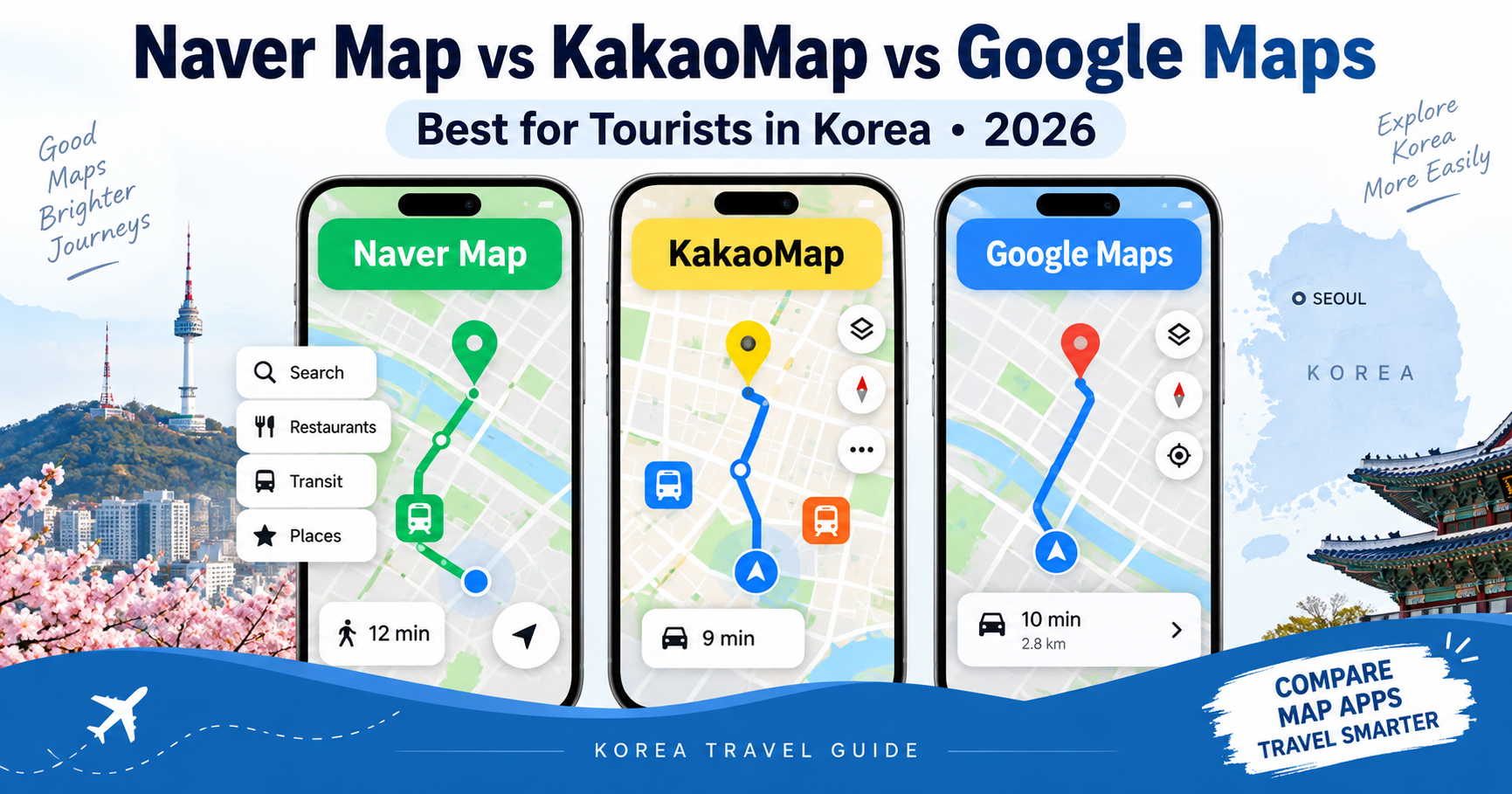
Which map app should you use when traveling in South Korea?
Naver Map, KakaoMap, or Google Maps?
If you normally use Google Maps at home, you may assume that you can simply continue using it in Korea.
You can — but for many parts of a Korea trip, local Korean map apps are more useful.
For most international visitors, the simplest answer is:
Naver Map = best overall for most tourists
KakaoMap = excellent alternative for navigation and public transportation
Google Maps = useful as a familiar secondary map
You do not necessarily have to choose only one.
In fact, many travelers get the best results by using Naver Map as their main navigation app and Google Maps as a backup for saved places and international reviews.
Here is how the three apps compare in 2026.
Quick Answer
| Feature | Naver Map | KakaoMap | Google Maps |
|---|---|---|---|
| English interface | Yes | Yes | Yes |
| Subway routes | Excellent | Excellent | Available |
| Real-time bus information | Excellent | Excellent | Available in many cases |
| Walking directions | Excellent | Excellent | Available |
| Local restaurant data | Excellent | Excellent | Good |
| Korean local reviews | Extensive | Extensive | More internationally focused |
| Review translation | Strong multilingual support | More limited depending on content | Built-in translation tools |
| Foreign tourist features | Strong | Improving | Familiar global platform |
| Booking integration | Strong through NAVER services | Limited compared with NAVER | Depends on business |
| Best for first-time tourists | Excellent | Very good | Good as secondary app |
| Best for local discovery | Excellent | Excellent | Good |
| Best overall in Korea | Recommended | Strong alternative | Useful backup |
Why Are Local Map Apps So Important in Korea?
South Korea has a highly developed local digital ecosystem.
Services such as:
NAVER
Kakao
local transportation systems
and Korean business platforms
are deeply connected.
As a result, Korean map apps often contain more detailed local information about:
Restaurants
Cafés
Bus stops
Subway exits
Building entrances
Small businesses
Local reviews
and transportation routes.
This is why international visitors frequently install a Korean map app even if they normally use Google Maps everywhere else.
Option 1: Naver Map
For most international travelers, Naver Map is the easiest local map app to recommend in 2026.
It combines:
Public transportation
Walking navigation
Driving routes
Restaurant information
Attraction information
Local reviews
Opening hours
Reservations
and local discovery
in one app.
Naver has also invested heavily in making the service easier for international tourists.
Naver Map Language Support
Naver Map supports several languages, including:
English
Japanese
Simplified Chinese
and Korean.
This makes it much easier for visitors who cannot read Hangul.
Major place information and many reviews can also be translated.
Why Naver Map Is Good for Tourists
One of its biggest strengths is local business information.
Search for a restaurant and you may find:
Opening hours
Photos
Menu information
Local reviews
Reservations
Nearby branches
and detailed location information.
This is especially useful when searching for Korean restaurants or cafés that are much more popular locally than internationally.
Naver Map and Public Transportation
Naver Map is excellent for:
Subway routes
Bus routes
Walking transfers
Estimated travel times
Bus arrival information
and station exits.
If you search:
Hongdae → Gyeongbokgung Palace
the app can compare multiple transit routes and show:
Where to board
Where to transfer
Which station to exit
and how far you need to walk afterward.
For first-time travelers, this is extremely useful.
Naver Map Reviews
Naver has a huge amount of Korean user-generated business information.
That can be an advantage when deciding:
Which café is currently popular
Which restaurant has long waits
Which menu item people recommend
or whether a business has recently changed.
Foreign users can increasingly access translated review information.
This gives you access to opinions from local Korean customers rather than relying only on international tourist reviews.
Naver Map Bookings for Foreigners
Naver became significantly more useful for international travelers in 2026.
Foreign passport holders can now use passport-based identity verification for selected Naver services without requiring a Korean mobile phone number.
This can provide access to services such as:
NAVER Booking
NAVER Order
and selected payment functions.
Not every restaurant or business supports every function, but this is a major improvement for short-term visitors.
When Naver Map Is Best
Choose Naver Map when you want to:
Navigate Korean public transportation
Search restaurants and cafés
Find exact subway exits
Read local reviews
Save travel destinations
Find detailed business information
or access selected reservations.
For most international tourists, this is the best app to install first.
Option 2: KakaoMap
KakaoMap is another major Korean map service.
It is operated by Kakao, the company behind KakaoTalk and other major Korean digital services.
KakaoMap is particularly strong for:
Route planning
Public transportation
Driving
Walking directions
Local search
and navigation.
KakaoMap Route Planning
KakaoMap provides route search for:
Public transportation
Cars
Walking
and bicycles.
The company states that its navigation information is continuously updated using recent route data.
For travelers, this means KakaoMap is a very capable alternative to Naver Map.
KakaoMap Public Transit Notifications
One interesting feature is transportation notifications.
KakaoMap can provide alerts related to public transportation, helping users know when to:
Board
or
Get off.
This can be useful on buses, where international travelers may worry about missing the correct stop.
KakaoMap Local Discovery
Like Naver Map, KakaoMap can help you discover:
Restaurants
Cafés
Attractions
and other nearby locations.
It also includes recommendations based on your current area.
For travelers who already use other Kakao services, KakaoMap can feel naturally integrated into the Korean digital ecosystem.
Is KakaoMap Available in English?
Yes.
Korea Tourism Organization’s current transportation guidance lists Kakao Maps (EN) as an option for foreign visitors.
The app can be used for:
Driving routes
Public transportation
and walking routes.
However, some international visitors may find Naver Map’s foreigner-oriented content and multilingual ecosystem more polished.
When KakaoMap Is Best
KakaoMap is excellent if:
You prefer its interface.
You want a second opinion on a transit route.
You use Kakao services.
You want detailed Korean local navigation.
or
you find Naver Map difficult to use.
There is nothing wrong with installing both Naver Map and KakaoMap.
They are both highly capable Korean mapping services.
Option 3: Google Maps
Google Maps is the map application most international travelers already know.
It remains useful in Korea for:
Finding major attractions
Saving places before your trip
Reading international reviews
Viewing general map locations
Sharing locations
and maintaining your travel lists.
Its biggest advantage is familiarity.
You probably already know how to use it.
Why Travelers Still Use Google Maps in Korea
Before your trip, you may already have dozens of places saved in Google Maps.
For example:
Hotel
Palace
Restaurant
Shopping mall
Museum
and café.
There is no reason to delete those lists.
Google Maps can remain useful as a visual travel-planning tool.
It is also convenient when sharing locations with friends who already use Google Maps.
Google Maps vs Korean Local Map Apps
Where Google Maps can feel less convenient is deep local Korean information.
Naver Map and KakaoMap are directly connected to large Korean ecosystems with enormous amounts of local:
Business data
Transportation data
Reviews
Local search information
and place details.
For public transportation and local business research, many travelers therefore prefer Naver Map or KakaoMap.
The important point is not that Google Maps is unusable in Korea.
It is that:
You may get more useful local detail from a Korean map app.
Is Google Maps Improving in Korea?
Yes, Google continues to operate and improve Google Maps services in Korea.
Its map information, place listings, reviews and navigation tools remain useful.
However, map-data regulation and the structure of Korea’s domestic mapping ecosystem have historically meant that Google Maps and Korean map apps do not always provide exactly the same experience.
For tourists, there is little reason to depend on only one platform.
Which App Has the Best English Support?
Naver Map
Very good.
It is actively designed for international travelers and offers multilingual map functionality.
KakaoMap
English support is available and the app is practical for international users.
Google Maps
Excellent global multilingual interface.
The app itself is probably the most familiar of the three for foreign travelers.
However, English interface quality and Korean local data depth are two different things.
Naver Map may have more useful local information even when Google Maps feels more familiar.
Which App Is Best for the Seoul Subway?
For a tourist, I would choose:
Naver Map or KakaoMap
Both provide excellent public transportation route planning.
They can show:
Subway lines
Transfer stations
Walking routes
Bus alternatives
and estimated times.
Naver Map is particularly convenient if you also want to research:
Restaurants
Attractions
and local reviews
while planning the same journey.
Which App Is Best for Buses?
Again:
Naver Map and KakaoMap
are strong choices.
Korean buses can be harder for first-time tourists than subway trains because:
Stops may be close together.
Route numbers can be confusing.
Bus lanes may change travel time.
and you need to know exactly where to get off.
Real-time bus information makes local Korean maps extremely useful.
Which App Is Best for Walking?
Both Naver Map and KakaoMap provide detailed walking routes.
This is important in Korea because walking directions may involve:
Subway underground passages
Pedestrian crossings
Stairs
Alleys
Building entrances
and steep hills.
Local map information can make the final part of your journey easier.
Google Maps can also be useful for general orientation, particularly around major attractions.
Which App Is Best for Restaurants?
For discovering places that Korean locals actually use:
Naver Map has a major advantage.
You can often find enormous amounts of local information.
KakaoMap is also strong for Korean local places.
Google Maps, meanwhile, can be very useful if you specifically want:
English-language reviews
Reviews from other international visitors
or a familiar star-rating system.
A useful strategy is:
Find the place on Naver Map
then
check Google Maps if you want additional international reviews.
Which App Is Best for Trendy Cafés?
Naver Map is particularly useful.
Korean cafés frequently update their:
Opening hours
Photos
Menu
Announcements
and business information
through Korean platforms.
This matters in neighborhoods such as:
Seongsu
Hongdae
Hannam
Ikseon-dong
and Gangnam.
Trendy businesses may also change quickly, so recent local reviews are valuable.
Which App Is Best for Rural Korea?
It is useful to have a Korean map app when traveling outside major international tourist areas.
Naver Map and KakaoMap cover Korea nationally.
They are not just Seoul apps.
You can use them in:
Busan
Daegu
Jeju
Gyeongju
Jeonju
Sokcho
Suwon
and smaller destinations.
Local bus information can vary by region, but the Korean platforms remain valuable.
Which App Is Best for Busan?
Naver Map is an excellent choice.
NAVER and the Korea Tourism Organization have actively collaborated on travel discovery campaigns highlighting local destinations and restaurants in Busan.
KakaoMap is also a strong transportation tool.
For international visitors, either app is much more useful than relying only on a tourist paper map.
Which App Is Best for Driving?
Both Naver Map and KakaoMap provide driving route functionality.
KakaoMap also integrates direct navigation features.
If you rent a car in Korea, local navigation platforms can be particularly useful because they are designed around Korean:
Roads
Addresses
Traffic information
and local destinations.
Rental cars may also include a separate Korean navigation system.
Korean Addresses Can Be Tricky
One problem travelers encounter is that the English name of a business may not match the name used in the Korean map database.
If a search fails:
Try the Korean business name.
Copy the Korean address.
Search the phone number.
or
Find a nearby landmark.
Hotels often provide both English and Korean addresses.
Save the Korean address before your trip.
This can also be useful when taking a taxi.
Can You Search in English?
Yes, especially for major tourist destinations.
For example:
Seoul Station
Myeongdong
Gyeongbokgung Palace
N Seoul Tower
Hongik University
are easy to search.
For smaller local businesses, the Korean name may still produce more reliable results.
Best Strategy: Use Two Apps
You do not need to turn this into an either/or decision.
A very effective setup for international travelers is:
Naver Map
Use as your main Korea navigation app.
Google Maps
Use for:
Saved travel lists
International reviews
and familiar map browsing.
You can also install KakaoMap as a backup if you want to compare local routes.
My Recommended App Setup
If you want the simplest possible setup:
Install Naver Map
Use it for:
Transportation
Walking
Restaurants
Local places
and navigation.
Keep Google Maps
Use it for:
Places you already saved
International reviews
and general location reference.
Install KakaoMap only if needed
You may find you prefer its interface or route recommendations.
There is no harm in having all three installed, but most tourists do not need to constantly switch between them.
Naver Map vs KakaoMap
If you only want one Korean map app:
I would suggest Naver Map for most international visitors.
Not necessarily because its basic routing is dramatically better, but because it currently combines:
Strong foreign-language support
Local business information
Translated reviews
Public transportation
Bookings
and growing foreigner-focused features.
KakaoMap remains an excellent alternative.
Naver Map vs Google Maps
Use Naver Map when you need:
Detailed Korea-specific directions
Bus information
Subway exits
Local restaurants
or Korean reviews.
Use Google Maps when you want:
A familiar interface
Your existing saved places
International reviews
or easy sharing with other travelers.
They work well together.
KakaoMap vs Google Maps
KakaoMap is usually stronger for Korea-specific route planning and local information.
Google Maps may be easier for travelers who want to keep using the app they already know.
If your trip includes heavy use of Korean public transportation, KakaoMap is worth trying.
Do You Need Mobile Data?
Yes, for the best experience.
Real-time functions require an internet connection.
This includes:
Bus arrival times
Current routes
Search
Reservations
and updated business information.
For independent travel in Korea, having:
eSIM
SIM card
roaming
or portable Wi-Fi
is extremely useful.
Download the Apps Before You Arrive
Do not wait until you are standing outside Incheon Airport trying to find your hotel.
Before your flight:
Download Naver Map.
Set it to English.
Save your hotel.
Save Incheon Airport.
Save a few major attractions.
Keep Google Maps installed.
Optionally install KakaoMap.
Then you will already understand the basic interface when you arrive.
Example: Incheon Airport to Hongdae
Suppose you arrive at Incheon Airport and your hotel is in Hongdae.
Naver Map may show:
AREX
Station information
Walking distance from Hongik University Station
and the best exit.
You can then use Google Maps to check:
Your hotel reviews
Nearby attractions
and your existing saved destinations.
The two apps complement each other.
Example: Finding a Restaurant in Seongsu
You want Korean barbecue in Seongsu.
With Naver Map:
Search restaurants.
Check recent Korean reviews.
Look at photos.
Confirm opening hours.
Find walking directions.
Then, if you want additional opinions from tourists:
Check the same restaurant on Google Maps.
This can give you a broader picture.
Example: Taking a Bus in Seoul
A route may require:
Walk 300 meters
Take Bus 421
Ride 8 stops
Get off
Walk 150 meters.
Naver Map or KakaoMap can help you follow the local public transportation route.
This is much easier than trying to understand the entire Seoul bus network yourself.
Common Mistakes
Mistake 1: Using only one map app because it works at home
Korea has excellent local platforms.
Use them.
Mistake 2: Searching only the English business name
If nothing appears, try the Korean name.
Mistake 3: Ignoring subway exit numbers
Always check the recommended exit.
Mistake 4: Using an old restaurant listing
Check recent reviews and opening hours.
Mistake 5: Assuming the shortest route is easiest
A route with fewer minutes may include:
More transfers
Long underground walks
or stairs.
If you have luggage, check the full route carefully.
Which Map Should You Use With Large Luggage?
This deserves special attention.
If you have a large suitcase, do not choose a route purely because it is five minutes faster.
Look at:
Number of transfers
Walking distance
Station size
and the final walk to your hotel.
For airport transportation, this can be the difference between an easy journey and an exhausting one.
Frequently Asked Questions
Which map app is best for Korea?
For most international visitors in 2026, Naver Map is an excellent primary app.
Is Naver Map available in English?
Yes.
Naver Map supports English and other languages for foreign visitors.
Does KakaoMap support English?
Yes.
Korea Tourism Organization lists Kakao Maps in English for route searching.
Does Google Maps work in Korea?
Yes, Google Maps remains useful in Korea, particularly for place search, saved lists, reviews and general mapping.
Local Korean apps often provide richer Korea-specific transportation and business information.
Should I use Naver Map or KakaoMap?
Both are excellent.
Naver Map is often easier to recommend to first-time international visitors because of its multilingual and tourist-focused features.
Should I delete Google Maps?
No.
Keep it.
It works very well as a secondary travel tool.
Can I use all three?
Yes.
There is no problem with comparing routes or reviews across different apps.
Do Naver Map and KakaoMap work outside Seoul?
Yes.
Both provide services throughout South Korea.
Which one is best for restaurants?
Naver Map is particularly strong for Korean local restaurant information and reviews.
Which app is best for subway directions?
Naver Map and KakaoMap are both excellent.
Final Thoughts
You do not need to choose only one map app for Korea.
The most practical setup for many travelers is:
Naver Map = primary navigation
Google Maps = saved places and international reviews
KakaoMap = optional local navigation alternative
If you only want to download one additional app before your Korea trip, choose:
Naver Map.
It offers a strong combination of:
Public transportation
Walking directions
Local places
Reviews
Multilingual support
and foreigner-friendly services.
But keeping Google Maps on your phone is still useful.
The goal is not to find the one “perfect” map.
It is to use the right tool for the right part of your trip.